

When a homeowner's basement is flooding at 2 AM, they're not reading blog posts. They're in panic mode—searching, scanning, and calling the first company that looks trustworthy.
The entire decision happens in about 90 seconds: Map Pack → Google Business Profile → reviews → tap-to-call. If you lose them at any point in that funnel, the call goes to a competitor. This post walks you through the 7 fixes that plug those leak points and turn visibility into actual calls.
The Emergency Search Funnel (How Homeowners Choose in 90 Seconds)
When someone searches "emergency water extraction near me," they're not comparing five websites. They're looking for the fastest path to relief. Here's how the decision actually happens:
The homeowner sees the Map Pack, picks one or two that look legitimate, glances at reviews, and calls. If your Google Business Profile doesn't immediately communicate trust and availability, you're invisible—even if you're technically "ranking."
Being position #4 in the Map Pack is often the same as being invisible. The top 3 get the overwhelming majority of clicks and calls. If you're not in that top tier, you're donating leads to competitors every time someone searches.
The 7 Fixes That Turn Visibility Into Calls
Ranking is only half the battle. If your water extraction business shows up but doesn't convert, you're wasting your visibility. Here are the 7 fixes that actually move the needle:
Fix #1 — Make "Call Now" Unavoidable (Mobile-First)
When someone's house is flooding, they're not filling out contact forms. They need a phone number that's impossible to miss—and impossible to fumble on a wet smartphone screen.
Mini-checklist:
- Add a sticky call button that follows users as they scroll (mobile)
- Put a tap-to-call button in the hero section—above the fold
- Display your phone number in the top right corner AND footer
- Make the call button large enough for stressed, shaky fingers
- Use contrasting colors so the CTA doesn't blend in
Fix #2 — Speed Wins (Page Speed + Time-to-First-Action)
If your site loads slow, panic visitors bounce. They don't wait—they hit back and call the next company. And "slow" in emergency search terms means anything over 3 seconds.
Mini-checklist:
- Compress images and use modern formats (WebP)
- Simplify your hero section—remove sliders and heavy scripts
- Use lazy loading for images below the fold
- Consider a CDN for faster delivery
- Test your page speed monthly (Google PageSpeed Insights is free)
Fix #3 — Trust Signals Above the Fold
Panic-mode visitors need immediate reassurance. They're not scrolling to the bottom of your page to find out if you're legitimate. Trust signals need to be visible the second the page loads.
Mini-checklist:
- Display review count + star rating in the hero section
- Show certifications prominently (IICRC, etc.)
- Use real job photos—not stock images of people in hazmat suits
- Add "24/7 Emergency Response" badge if applicable
- Include insurance logos if you work with major carriers
88% of consumers trust online reviews as much as personal recommendations
In emergencies, reviews are the tiebreaker. If two companies look similar, the one with more (and better) reviews wins the call.
- Recent reviews matter more than volume
- Respond to every review—positive and negative
- Photos from real jobs build credibility
Fix #4 — Match the Query to the Page
If someone searches "emergency water extraction" and lands on a generic "services" page, you've already lost them. The page needs to immediately confirm: yes, this is exactly what you need.
Your emergency water extraction page should clearly state:
- Response time ("On-site within 60 minutes")
- Service area (specific cities/zip codes)
- Insurance help ("We work with all major carriers")
- 24/7 availability—make it unmissable
- What happens when they call (brief process overview)
Fix #5 — Google Business Profile Converts Before Your Website Does
Here's what most restoration companies miss: over 60% of mobile users call directly from the GBP listing without ever visiting your website. Your Google Business Profile isn't just a listing—it's often your entire sales funnel.
Mini-checklist:
- Primary category: "Water Damage Restoration Service" (not generic)
- Services section: Fill out every service you offer
- Photos: Add new ones weekly (job sites, trucks, team)
- Q&A: Seed common questions yourself ("Do you offer 24/7 service?")
- Messaging: Enable it if you can respond quickly
- Call button: Make sure it works and rings the right number
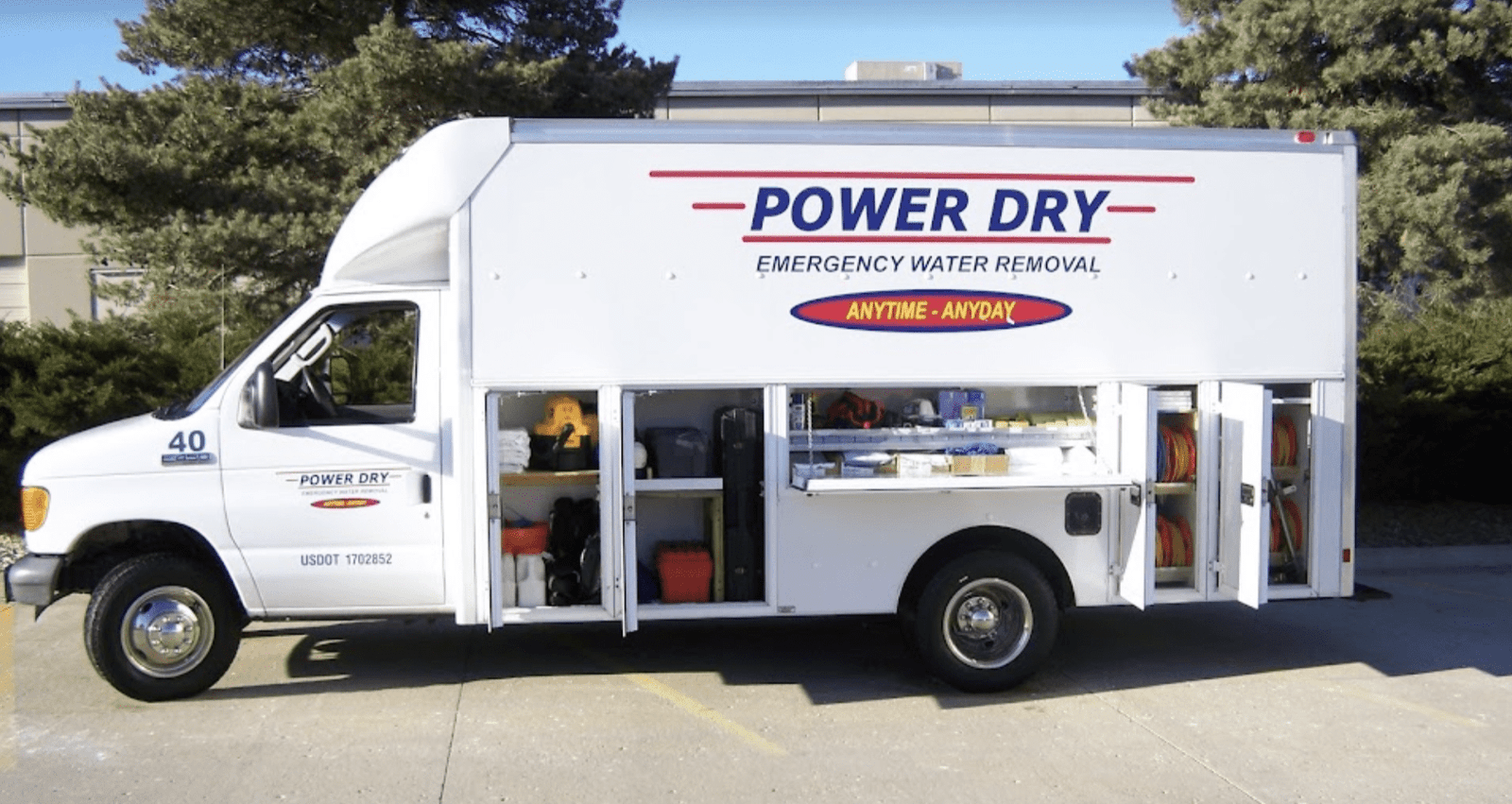 Image: Water Damage Kansas City
60% of mobile users contact businesses directly from search results
They never see your website. Your GBP listing IS the first impression—and often the only one.
- Fresh photos signal an active business
- Complete profiles rank better in Map Pack
- Response time to messages affects visibility
Fix #6 — Service Area Clarity (Stop Wasting Calls)
Nothing burns time like calls from outside your service area. Be crystal clear about where you work—it helps you rank in those areas AND prevents wasted calls.
Mini-checklist:
- List specific cities and neighborhoods you serve
- Add an "Areas We Serve" block to your homepage and service pages
- Create service-area pages if you cover multiple cities
- Set service area properly in GBP (radius or specific cities)
- Mention service area in your page titles and meta descriptions
Fix #7 — Track Calls Properly
If you can't measure it, you can't improve it. Most restoration companies have no idea which marketing efforts actually drive calls—they're just guessing.
Mini-checklist:
- Use different tracking numbers for GBP vs. website
- Or use dynamic number insertion (DNI) to track sources
- Filter out spam calls from your reporting
- Track "calls that became booked jobs"—not just total calls
- Review call data monthly to see what's actually working
Want us to run this audit for your restoration company?
We'll review your Google Maps visibility, GBP listing, and website conversion points—then show you exactly what to fix first.
See Our Water Extraction SEO Service → Or book a 15-min audit callQuick Checklist (Copy/Paste This)
Here's everything from above in one place. Print it, share it with your team, or use it to audit your own setup:
- Sticky call button on mobile
- Tap-to-call in hero section
- Phone number in header + footer
- Page loads under 3 seconds
- No heavy scripts or sliders
- Review count + rating visible above fold
- Certifications displayed (IICRC, etc.)
- Real job photos (not stock)
- 24/7 availability clearly stated
- Insurance logos if applicable
- Primary category: Water Damage Restoration Service
- All services filled out
- Photos added weekly
- Q&A section seeded
- Messaging enabled (if you respond quickly)
- Emergency page states response time
- Service area clearly listed
- "Areas We Serve" block on key pages
- Service-area pages for each city (if applicable)
- Call tracking in place (GBP vs. website)
- Spam calls filtered
- Booked jobs tracked (not just calls)
- Monthly review of what's working
When to DIY vs. When to Get Help
Some of this you can handle yourself. Some of it requires tools, time, or expertise you may not have. Here's a rough guide:
DIY-friendly fixes:
- Adding/improving call buttons on your site
- Updating GBP photos and responding to reviews
- Clarifying service area on your pages
- Seeding Q&A on your GBP listing
Usually needs help:
- Page speed optimization (technical)
- Proper call tracking setup
- Building service-area pages that don't cannibalize each other
- GBP category strategy for contaminated water jobs or mold-adjacent services
- Ongoing local SEO and visibility monitoring
If you're getting traffic but not calls, the issue is usually somewhere in this funnel. If you're not getting traffic at all, the issue is visibility—and that's a different problem.
- BrightLocal. (2025). 31 Local SEO Statistics You Need for 2025. Retrieved from brightlocal.com
- Think with Google. (2024). Mobile Page Speed Conversion Data. Retrieved from thinkwithgoogle.com
- Cloudflare. (2024). How Website Performance Affects Conversion Rates. Retrieved from cloudflare.com
FAQs
How fast should my page load for emergency searches?
Under 3 seconds—ideally under 2. For emergency services, every second matters. 53% of mobile users abandon pages that take longer than 3 seconds. Use Google PageSpeed Insights to test your site for free.
Does GBP matter more than my website?
For emergency services, often yes. Over 60% of mobile users call directly from the GBP listing without visiting your website. Your GBP is frequently your entire sales funnel—treat it that way.
Should I create separate pages for each city I serve?
It depends on your service area size. If you serve 3-5 cities, city-specific pages can help you rank locally. If you serve 20+ cities, you risk thin content and cannibalization. A good rule: only create city pages if you can write genuinely useful, unique content for each one.
How do I know if my visibility problem is ranking vs. conversion?
Check your GBP insights. If you're getting views but not calls, it's a conversion problem—your listing or website isn't compelling enough. If you're not getting views, it's a visibility problem—you need to work on ranking in the Map Pack first.
Want Us to Run This Audit for You?
We help water mitigation and restoration companies turn local searches into tracked calls. Book a quick game plan call and we'll show you exactly what to fix first.
See Our Water Extraction SEO Service → Or book a 15-min audit call